
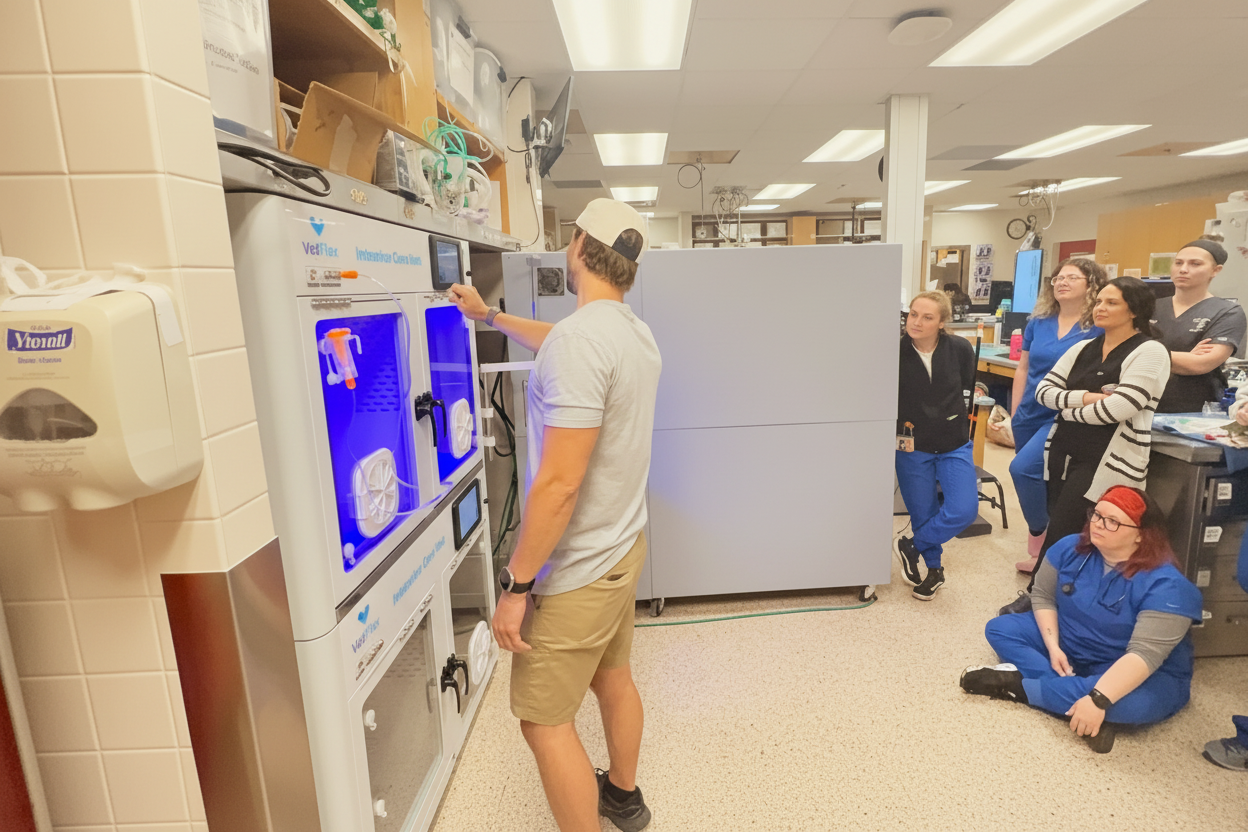
Get Your Whole Team Ready for Your VetFlex ICU
Add the people who will set up and use your ICU oxygen cage (practice managers, veterinarians, technicians). We'll email each of them our quick start guide and calibration tips, so everyone knows how to run the unit from day one.
How ICU Team Onboarding Works
Two short setup emails, sent to each person you add.
Step 1
You Add Your Team
Name, email and role for each person.
Today
ICU Quick Start Guide
Startup, shutdown, best practices and training videos, by email.
In 2 weeks
Calibration & Troubleshooting
Oxygen calibration and troubleshooting tips.
Emails come from VetFlex Service (service@vetflex.com). They're setup emails only. We won't add anyone to our newsletter, and every email has a one-click unsubscribe.
Add Your Team
Each person gets the VetFlex ICU setup emails. Up to 5 people at a time.
How to Start Your VetFlex ICU
Startup in under 2 minutes, the same steps for every soda lime-free VetFlex ICU oxygen cage.
Startup Steps
- 1Press the Power button on the ICU (and power on the concentrator, if you use one).
- 2Open all ICU doors and wait about 1 minute for the air inside to equalize.
- 3Check the oxygen reading. It should read 21% (±1%). If not, run a tare calibration.
- 4Once it reads 21%, close all doors and vents.
- 5Tap the parameters to set target temperature and O₂ concentration.
- 6Open the flowmeter counterclockwise to at least 10 L/min. 15+ L/min is recommended.
- 7Tap Internal Circulation, then confirm the warning to begin oxygen therapy.
How to Shut Down
- 1Fully close the flowmeter (clockwise).
- 2Tap External Circulation.
- 3Open the FlexFeed doors or vents if a patient is inside (main doors if not).
- 4Wait for the oxygen reading to drop to 21% and stabilize.
- 5After it holds at 21% for 30 seconds, press Power.
Best Practice Tips
- Precondition the chamber (O₂ and temperature) before placing a patient, unless it's an emergency.
- If a patient is inside during shutdown, let oxygen drop slowly.
- In severe respiratory distress or emergencies, go above 15 L/min. 15 L/min is the everyday balance of efficiency and ramp-up speed.
Oxygen Sensor Tare Calibration
- 1Open all doors, with the flowmeter fully closed and the oxygen supply off.
- 2Tap the gear icon (top right), enter password 66, then tap Enter. Don't change other settings unless a VetFlex technician asks you to.
- 3Let the reading stabilize.
- 4Tap OK next to Tare Calibration, then Save.
- 5Verify it reads about 21%. If it's still off, call support.
Quick Troubleshooting
Oxygen doesn't reach the set value
Check calibration (20–21% before turning on the supply), confirm Internal Circulation with doors and vents closed, and check the concentrator, flowmeter (10–15+ L/min) and hoses.
Nebulizer or sterilization won't turn on
Tap the button's title, not its body.
One unit of a pair underperforming
With the second unit's flowmeter closed, bring the first unit to your parameters, then close the first and open both at the same time and rate.
Many clinics laminate it and attach it to the unit.
VetFlex ICU Training Videos
Unboxing & installing
Unbox and set up your new VetFlex ICU oxygen cage.
How to use oxygen therapy
Start and manage oxygen therapy for dogs and cats.
Oxygen tare calibration
Recalibrate the oxygen sensor to 21% in minutes.
Sanitize feature
Use the ICU's built-in sanitization between patients.
Lighting settings
Adjust the 3-in-1 lighting for each clinical need.
Nebulizer humidity
Control humidity with the built-in nebulizer.
Need Help With Your ICU?
ICU Onboarding FAQ
Related ICU Resources
ICU Pro Duo XL
Extra capacity for large breeds
ICU Pro Duo
Two independent chambers
ICU Pro Hybrid
Oxygen chamber over recovery kennels
ICU Pro
Compact single chamber
ICU comparison
Compare models side by side
Oxygen therapy guide
Oxygen therapy for dogs and cats
ICU accessories
Pads, connectors and IV poles
Video training
All ICU training videos